Essential Tech Accessories for Travel, Charging, and Keeping Track of Valuables
Discover essential travel tech accessories, from power banks and chargers to cable organizers and Bluetooth trackers, to keep your devices powered and valuables safe.
Recent Blogs
-
Jewellery and Piercings: Expressing Your Personal Style Through Accessories
-
Small Accessories, Big Impact: Ways to Elevate Everyday Outfits
-
How to Style Bracelets, Necklaces and Piercing Jewellery Together
-
Best Everyday Jewellery and Accessories for Every Personal Style
-
The Ultimate Guide to Building a Versatile Jewellery Collection
-
A Practical Guide to Everyday Pet Care: Comfort, Protection, and Hygiene
-
How to Choose the Right Pet Walking Gear for Safety, Comfort, and Control
By William Ashby
·October 13, 2026
Most travel tech problems are small and predictable: a phone at 4% before boarding, a plug that doesn't fit the wall, a cable tangled at the bottom of a bag, or a wallet left on a café table in a city you don't know. None of these needs an expensive gadget. They need a short, well-chosen kit.
This guide organizes that kit around three jobs: staying charged, staying organized, and staying able to find your valuables. For each job, you'll see what to look for, what the rules are (including airline battery limits), and where a specific product type makes sense.
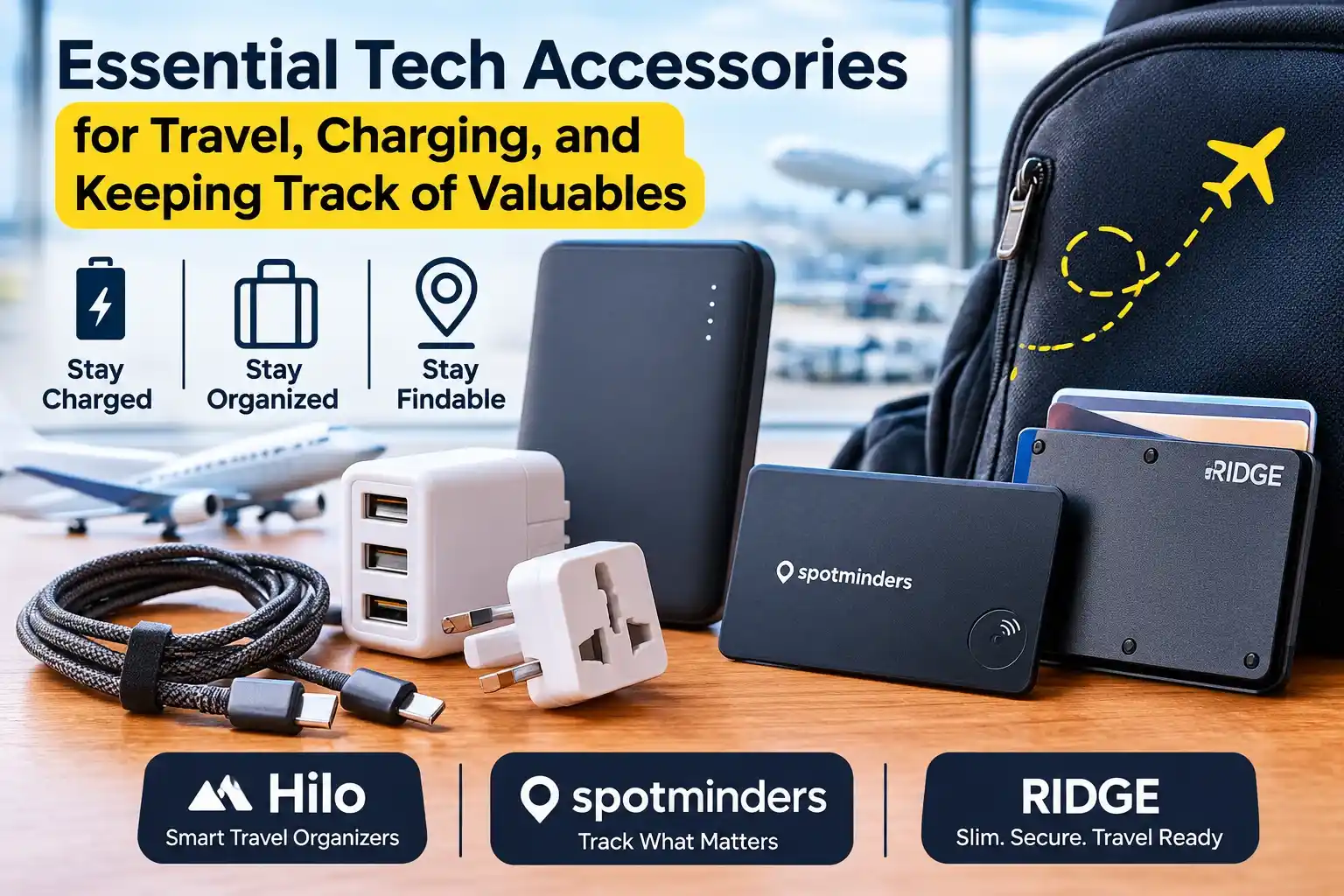
Quick answer: For most trips, the essentials are a power bank under 100 Wh in your carry-on, a multi-port wall charger with the right cables, a plug adapter for your destination, a small pouch to keep it all together, and a tracker for the one or two items you can't afford to lose, usually your wallet and your keys or bag.
What counts as an essential travel tech accessory?
An accessory is essential if skipping it creates a real problem on the road, such as no power, no way to plug in, or no way to find something important. If it only adds convenience, it's optional.
That filter removes a lot of clutter. A three-way cable splitter you'll use once doesn't make the list. A spare charger that lets you keep charging while another device is in use often does.
Stay charged: power that works in the air and on the ground
How big a power bank can you take on a plane?
Spare lithium-ion batteries, including power banks, belong in your carry-on, not checked luggage. The FAA's PackSafe guidance allows spare lithium-ion batteries up to 100 watt-hours (Wh) without special approval. Batteries from 101 to 160 Wh need airline approval, and larger ones are generally not allowed. Rules can differ slightly by airline and country, so check your carrier before you fly.
Power banks are usually sold by mAh, not Wh. A rough conversion is:
Wh ≈ mAh × 3.7 ÷ 1,000 (3.7V is the typical cell voltage; check the label, which often lists Wh directly).
Practical tip: A 10,000 mAh bank usually recharges a modern phone a couple of times, depending on the phone. For a long travel day with a phone, earbuds, and a watch, a 20,000 mAh bank is easier to rely on, and it stays under the 100 Wh threshold.
Wall charger and cables
A single multi-port USB-C charger lets you charge a phone and another device from one outlet, which matters in airports and hotel rooms with few sockets. When choosing, look at:
- Total wattage and per-port wattage, since a laptop needs more than a phone
- USB Power Delivery (PD) support for fast, device-appropriate charging
- Cable length: a 1 m cable is easy to pack, while 2 m helps with hotel outlets behind furniture
- Cable type: USB-C to USB-C for most modern laptops and tablets, plus one cable for your phone's connector
Pack one more cable than you think you need. Cables are the item most often lost or left behind.
Plug adapter or voltage converter?
This is the most common international mistake. A plug adapter only changes the shape of the prongs. A voltage converter changes the electrical supply. Most modern phone, laptop, and camera chargers accept a range of about 100 to 240V, so they only need a plug adapter. Check the small print on the charger. If it says "INPUT: 100-240V", an adapter is enough. Hair dryers and other heating appliances are a different story, so check them separately.
A note on public USB charging ports
Airports, hotels, and cafés often have USB ports built into furniture. Security agencies, including the FCC and CISA in the US, have warned that public USB ports could in theory be used to compromise a device. The easy fix is to plug your own charger into a standard outlet, or use your own power bank, instead of connecting a cable to an unknown port.
Stay organized: keep your kit in one place
A tangled bag costs time at security checkpoints and makes it easy to leave a cable behind. A simple zip pouch or cable organizer, with each item having a set place, makes a missing piece obvious at a glance.
A good rule: everything that charges lives in one pouch, and the pouch lives in one pocket of your carry-on.
Another store to explore: Hilo
Fill in after reviewing the store. Confirm what Hilo sells and which reader need it addresses (for example, bags, organizers, or accessories), then write 2 to 3 factual sentences. Suggested link text, only if it fits: explore the Hilo collection. Do not describe any product, material, or feature you haven't confirmed on the official site.
Stay findable: tracking the valuables you can't replace
What Bluetooth trackers can and cannot do
Most item trackers aren't GPS devices. They use Bluetooth to talk to nearby phones in a finding network, and that network reports the tracker's last-known location. That has real implications:
- They work best in populated places, where other compatible phones pass nearby.
- They are not live GPS. Location updates depend on a compatible device being nearby.
- Close-range finding usually relies on a sound you can trigger from your phone.
- Ecosystem matters. A tracker built for Apple's Find My network is designed around iPhones. Others work with Android's finding network. Confirm compatibility with your phone before buying.
Trackers are best for "I know it's somewhere near" problems, such as a wallet left on a seat or a bag that didn't make the carousel, not for recovering stolen items.
A tracker built into a card: Spotminders
Traditional round trackers are bulky in a wallet. A tracker card is closer to the size of a credit card, so it slips into a card slot without adding the bulge of a keychain-style tag.
Spotminders sells this type of product. Based on the brand's own launch materials and product pages, its tracking card is a thin Bluetooth card marketed as compatible with Apple's Find My network. The brand lists features such as a built-in speaker for nearby finding, a left-behind notification when the card is out of Bluetooth range, and a water-resistance rating. The brand's announcement also cites a long battery life, so check the product page for the exact rating and how the battery is charged.
This kind of card makes the most sense if you carry an iPhone and want a tracker that lives in a wallet or passport holder without adding thickness. If you use Android, check the product page for compatibility before you buy.
A wallet designed to carry a tracker: Ridge
The other approach is to choose a wallet that can accommodate a standard tracker. Ridge makes slim metal wallets in materials such as aluminum, carbon fiber, and titanium, with a design that holds roughly 1 to 12 cards. Its site also lists AirTag attachments, a Money Clip and a Cash Strap, that fasten an Apple AirTag to the face of a Ridge wallet so you can use the Find My network to locate it. The AirTag itself is purchased separately.
This suits travelers who prefer a minimalist front-pocket wallet and already use, or are willing to buy, an AirTag. The Ridge range also includes MagSafe-compatible wallets for iPhone users who want to attach a wallet to the back of the phone, but a phone-mounted wallet is a trade-off when you travel, because losing the phone then means losing the cards too.
Browse Ridge's wallet and AirTag attachment options to see which style and tracker setup suits your carry habits.
Tracker card or tracker-ready wallet?
You don't need both. Choose the one that fits how you already carry your things.
Privacy and safe use
Trackers should only be used on your own belongings. Phone makers include alerts that warn you if an unknown tracker seems to be traveling with you, so if you see one, follow your phone maker's guidance for locating and disabling it. Don't rely on a tracker as your only security measure either: also use card alerts and a lock screen, and keep valuables in sight.
Travel tech checklist
Common mistakes to avoid
- Packing a power bank in checked luggage. It belongs in the cabin.
- Assuming an adapter converts voltage. It doesn't. Read the charger label.
- Buying a tracker without checking your phone's ecosystem.
- Expecting GPS-level tracking from a Bluetooth tracker.
- Putting the tracker in the same bag as the item you might lose. For a wallet, that's fine, but for a laptop bag, keep the phone with you, not in the bag.
- Skipping the spare cable.
Which setup fits you?
Frequently Asked Questions
Can I bring a power bank in my carry-on?
Yes. Spare lithium-ion batteries must go in the cabin, not checked baggage. Up to 100 Wh is generally allowed; larger ones need airline approval or aren't permitted. Check your airline before you travel.
How many mAh is 100 Wh?
About 27,000 mAh at a typical 3.7V cell rating (mAh × 3.7 ÷ 1,000). Always check the Wh figure printed on the battery, since capacity labels vary.
Do I need a power adapter or a voltage converter?
Most modern phone and laptop chargers support 100–240V, so only a plug adapter is needed. Check the charger label, and look separately at heat-based appliances.
Do Bluetooth trackers work without cell service?
They use Bluetooth, but the location report depends on compatible phones nearby, which usually need some connectivity to upload it. Trackers work best in busy areas.
Can I use an AirTag with an Android phone?
AirTags are designed for Apple's Find My network and iPhone setup. Android users should look for trackers made for Android's finding network, and check compatibility on the product page.
What's the best way to track a wallet?
Either a thin tracker card kept in the wallet or a wallet designed to hold a tracker. Choose based on your phone ecosystem and whether you want to replace your wallet.
Are public USB charging ports safe?
Security agencies advise caution. Using your own charger in a power outlet, or your own power bank, avoids the issue.
Is a tracker a good anti-theft tool?
Not on its own. It helps locate misplaced items. Don't try to recover stolen property yourself. Contact local authorities.
Conclusion
A good travel kit is small. Power that lasts, cables that fit, an adapter for the destination, and a way to find your wallet cover most problems before they begin. Start with the basics, check the rules for batteries and compatibility, and add tracking only where it solves a real worry.