Tech Accessories That Make Everyday Devices Easier to Use
Discover practical tech accessories for everyday life, from power banks and wallet trackers to magnetic card holders and secure workout carry solutions.
Recent Blogs
-
Jewellery and Piercings: Expressing Your Personal Style Through Accessories
-
Small Accessories, Big Impact: Ways to Elevate Everyday Outfits
-
How to Style Bracelets, Necklaces and Piercing Jewellery Together
-
Best Everyday Jewellery and Accessories for Every Personal Style
-
The Ultimate Guide to Building a Versatile Jewellery Collection
-
A Practical Guide to Everyday Pet Care: Comfort, Protection, and Hygiene
-
How to Choose the Right Pet Walking Gear for Safety, Comfort, and Control
By William Ashby
·October 14, 2026
Most everyday tech frustration isn't really about the device. It's the stuff around it: a phone at 9% by mid-afternoon, a wallet that vanished somewhere between the car and the couch, a pocket stuffed with phone, keys, and cards that never sits right.
A good accessory removes one specific annoyance. A bad one adds clutter and one more thing to charge. This guide is organized by the problem you're trying to solve, so you can decide what's worth buying and what to check first. Where it helps, it points to examples from three brands (Spotminders, Ridge and HILO), based on what each says on its official website.
What are the most useful tech accessories for everyday devices?
For most people, five categories cover the common problems:
- A power bank for days when your battery won't last.
- A well-fitted case to protect the phone you use constantly.
- A slim, magnetic or minimalist way to carry cards so pockets stay flat.
- A tracker for the things you regularly misplace.
- A charging and cable setup that matches how and where you charge.
You probably don't need all five. The best accessory is the one that fixes the annoyance you hit every week.
Start with the annoyance, not the gadget
Before buying anything, spend a few days noticing where your routine breaks down. Then work through three steps:
- Name the friction. "My battery dies by 4 p.m." is more useful than "I need a charger."
- Match it to an accessory type. The table below shows common pairings.
- Check compatibility first. Phone model, operating system, and charging method decide whether an accessory works at all.
How do I stop losing my wallet, bag and keys?
A Bluetooth tracker won't stop you from losing something, but it can shorten the search a lot. Whether it works well for you comes down to a few practical points.
What to check before buying a tracker
- Ecosystem. Many trackers only work with one platform's finding network. Confirm yours before ordering.
- Shape. Round tags are awkward inside a wallet. Card-shaped trackers slide into a card slot.
- Power. Some use replaceable coin cells. Others recharge, which means one more thing to charge.
- Realistic expectations. Location updates rely on other phones passing near the tracker. In a quiet area, the last-seen location may be old. Treat a tracker as a search aid, not a recovery guarantee. Only use one on belongings you own.
Example: a card-shaped tracker for wallets and luggage
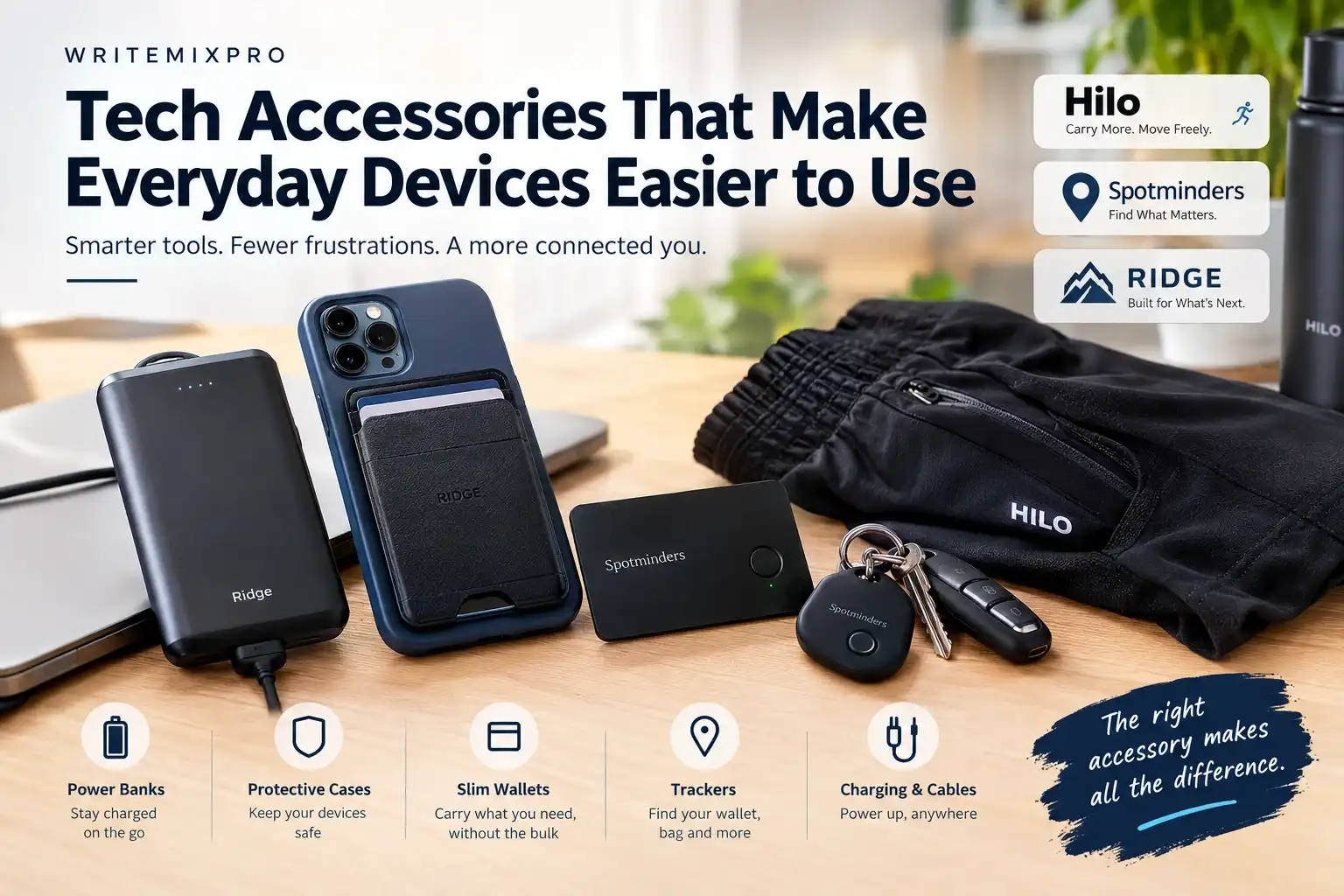
Spotminders makes trackers built for the wallet problem. According to its product page, the Tracking Card is 1.8 mm thin, rechargeable for up to eight months per charge, rated IP67 for water resistance, and charges without subscription fees. You pair it through Apple's Find My app instead of a separate app. The brand also sells a rechargeable Smart Tag for keys, plus luggage tags and passport holders.
The important limitation: the brand states the card is optimized for Apple devices and the Find My app, so Android users should look elsewhere. The product page describes a map location and a sound alert. It doesn't mention directional precision finding, so don't expect the arrow-style guidance some larger trackers offer.
If you're on iPhone and your main problem is a wallet or bag, explore Spotminders' tracking cards. They're one of the few trackers designed to sit in a wallet like a regular card. For travel specifically, Spotminders also sells luggage-focused options; see the available travel trackers and match one to the bag you most worry about.
How do I keep my phone from dying?
A power bank is the most direct fix. Three things matter more than the brand:
- Capacity. A bigger mAh number means more charge, but usable output is lower than the label because of conversion losses. A 10,000 mAh bank typically gives a typical modern phone somewhere around one to two full charges, depending on the phone.
- How it connects. Cable-based banks are flexible. Magnetic ones snap onto compatible phones and are quicker to use, but only work with magnet-ready phones or cases.
- Travel rules. In the U.S., the FAA says spare lithium-ion batteries, including power banks, must travel in carry-on baggage only, and a battery rated at up to 100 watt-hours needs no special approval. Airlines can set stricter rules, and rules abroad may differ, so check your carrier before you fly. See the FAA's PackSafe guidance on lithium batteries.
Ridge, known for wallets, also sells a magnetic power bank. Its listing describes a 10,000 mAh MagSafe-compatible power bank with five charging functions. It suits iPhone users who want a battery that stays attached and doesn't need a cable. If that matches how you charge, look at Ridge's power bank options alongside matching cases.
What's the easiest way to carry cards and a phone without pocket bulk?
A magnetic wallet or card holder attaches to the back of your phone and replaces a separate wallet for people who carry only a few cards. The trade-offs are real:
-
Cards are less convenient to reach than in a flip case.
-
Hold strength varies by product, case, and phone.
-
Most iPhones from the 12 series onward have built-in magnets. Many Android phones don't, so a magnetic case or adhesive plate is usually needed.
Ridge's MagSafe wallet is a good example of the design. The company's product page lists an aluminum body that holds one to twelve cards, RFID-blocking plates, strong neodymium magnets, a lifetime warranty, and a 99-day trial. It also lists an optional strengthening tray described as Apple- and Android-compatible. Feedback on the brand's own page is largely positive, though some buyers say the magnetic hold could be stronger and that the wallet gets thick as you add cards. Realistically, it suits people who carry a handful of cards. Browse Ridge's MagSafe wallets and cases to compare options for your phone model.
Ridge also sells MagSafe-ready phone cases (its listing mentions 8-foot drop protection) and its own Find My-compatible Tracker Card, which overlaps with the tracker category above. If you want fewer brands in your setup, that's worth knowing.
Wireless charging and your cards
Apple's support guidance warns against placing credit cards, security badges, passports or key fobs between an iPhone and a MagSafe charger, because the magnetic strips or RFID chips can be damaged. The simple rule: remove any card-holding wallet before wireless charging, and follow the maker's instructions for your specific wallet. [External link: Apple Support, MagSafe Charger guidance]
[Internal Link: Related WriteMixPro Article About Everyday Carry Essentials]
How do I carry my phone and keys during workouts?
Tech accessories aren't only things you plug in. For active days, the carry method matters. Armbands and running belts work, but some people prefer clothing with built-in pockets.
HILO, a training apparel brand, designs its ONLY Short with that in mind. The product page lists two hidden zippered back pockets, a lightweight liner, four-way stretch fabric, and a choice of 5-inch or 7-inch inseams. The page doesn't give pocket dimensions, so check whether your phone fits before counting on it for a large device. HILO's current range is marketed to men, with waist sizes listed from small to extra-extra-large. If a secure place for keys, a card, or a smaller phone is what you're missing mid-workout, see HILO's gym shorts.
Mistakes that make accessories useless
- Skipping the compatibility check. A magnetic accessory won't hold on a phone without magnets or a magnetic case.
- Buying by looks alone. Color matters less than fit, thickness, and charging behavior.
- Overbuying trackers. A tracker on every item means more batteries to remember.
- Ignoring charging habits. If you charge wirelessly overnight, a thick wallet or bulky case works against you.
- Forgetting travel rules. A power bank in a checked bag can be taken out or refused.
- Trusting claims without limits. "Waterproof" and "up to X months" are conditions, not guarantees. Read the fine print.
Where should you start?
- Commuter or office worker: a slim magnetic card holder and a case that fits your phone.
- Frequent traveler: a card-shaped tracker for your wallet or bag, plus a carry-on-friendly power bank.
- Gym-goer or runner: a secure way to carry your phone, keys, and a card while moving.
- Someone who keeps losing things at home: one tracker for the item you search for most often.
Start with one accessory, use it for a couple of weeks, then add another only if a real gap remains.
Frequently Asked Questions
What are the most useful tech accessories for everyday life?
A power bank, a well-fitting protective case, a slim way to carry cards, and a tracker for items you misplace cover most daily problems. Match them to your own habits.
Do wallet trackers need a subscription?
It depends on the product. Spotminders states that its Tracking Card has no monthly fees and uses the free Find My app. Always confirm on the product page.
Are magnetic wallets safe for credit cards?
Cards stored in a purpose-built wallet are designed for it, but Apple advises against leaving cards between an iPhone and a MagSafe charger. Remove the wallet before wireless charging and follow the maker's guidance.
Can I bring a power bank on a plane?
In the U.S., yes, in carry-on only. The FAA requires spare lithium batteries and power banks to travel in carry-on baggage, and batteries up to 100 Wh need no special approval. Check your airline for stricter limits.
How big a power bank do I need?
For everyday use, 10,000 mAh is a common middle ground. Heavy users and long travel days may want more. Remember that usable capacity is lower than the label.
Do slim trackers work with Android?
Many don't. Spotminders says its card is optimized for Apple devices and Find My. Check the compatibility section of any tracker before buying.
Do magnetic accessories work on Android phones?
Often only with a magnetic case or adhesive plate, because many Android phones lack built-in magnets. Check the product's compatibility notes.
Conclusion
The most useful accessories fix a specific, repeated annoyance. Pick the problem you hit most often, check compatibility before you buy, and add things slowly. If a magnetic wallet and a matched case would simplify your carry, Ridge's collection is one place to compare options, alongside the other brands covered above.