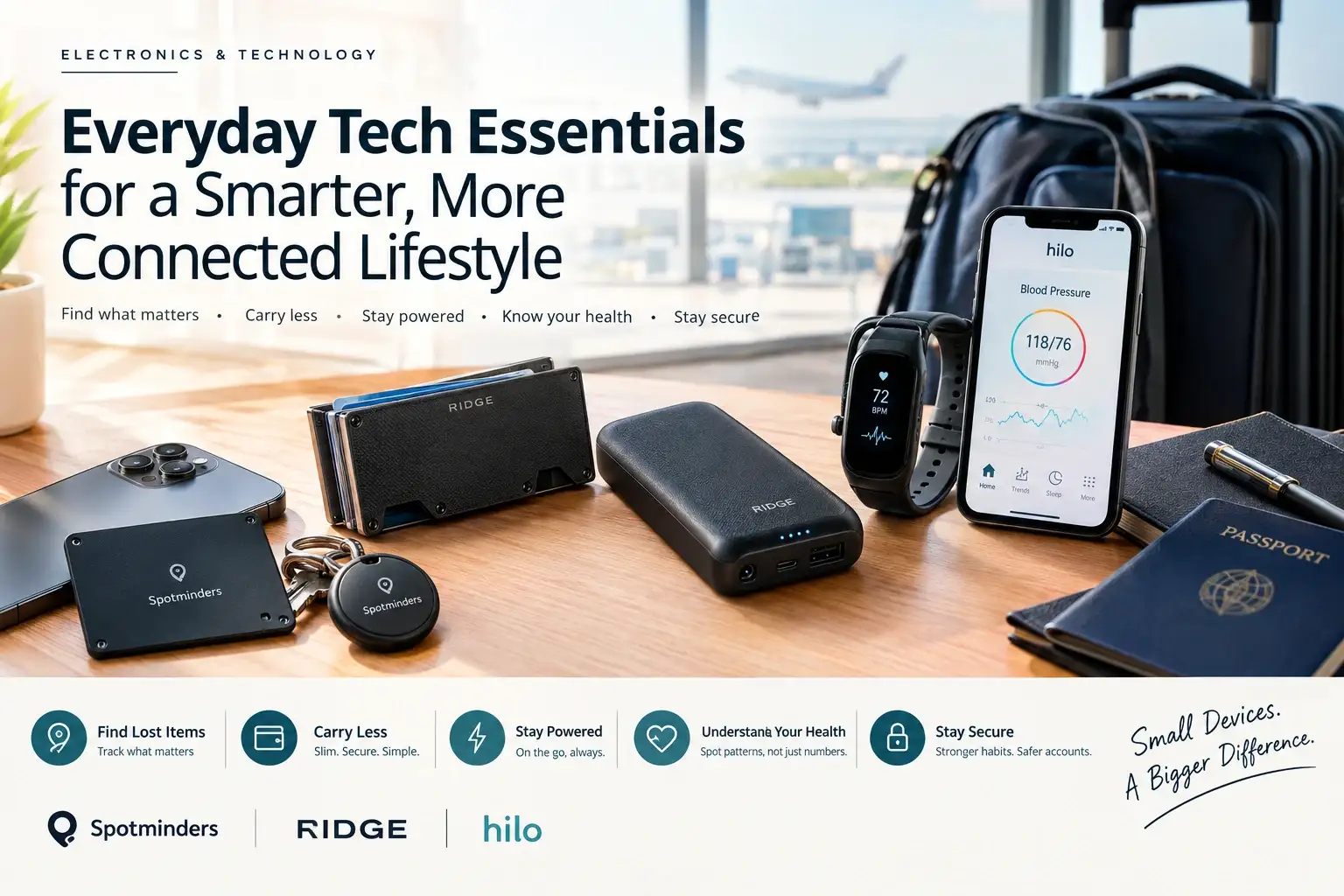
Everyday Tech Essentials for a Smarter, More Connected Lifestyle
Discover everyday tech essentials, from smart trackers and minimalist wallets to power banks and health wearables, for a safer, simpler, connected lifestyle.
Recent Blogs
-
Jewellery and Piercings: Expressing Your Personal Style Through Accessories
-
Small Accessories, Big Impact: Ways to Elevate Everyday Outfits
-
How to Style Bracelets, Necklaces and Piercing Jewellery Together
-
Best Everyday Jewellery and Accessories for Every Personal Style
-
The Ultimate Guide to Building a Versatile Jewellery Collection
-
A Practical Guide to Everyday Pet Care: Comfort, Protection, and Hygiene
-
How to Choose the Right Pet Walking Gear for Safety, Comfort, and Control
By William Ashby
·October 14, 2026
The tech that earns a permanent place in your day is rarely the flashy kind. It's the small stuff that removes a recurring annoyance: the wallet you can't find when you're already late, the phone at 6% when you need directions, the suitcase that doesn't show up at the carousel, the account protected by a password you've used for years.
This guide covers how to decide what everyday tech is worth owning. It then walks through four practical categories (finding things, carrying less, staying powered, and understanding your health) and adds the security habits that protect all of it.
Quick answer: Everyday tech essentials are devices and habits that solve a problem you hit repeatedly, work with the phone you already own, and cost little in time, money, or maintenance. For most people, that means a way to find lost items, a slim and secure way to carry cards, reliable portable power, and basic digital security. Health wearables are optional, and worth a closer look only if you already care about tracking patterns.
What counts as an "everyday tech essential"?
An essential isn't the newest gadget. It's something you'd notice missing within a week.
That rules out a lot of tech that's impressive but occasional. It favors products that are small, work quietly in the background, and fit the ecosystem you're already in.
A four-question test before you buy anything
-
What specific problem does this fix? If you can't name a recent moment it would have helped, wait.
-
Does it work with my phone? Many trackers and accessories work with only one platform.
-
What does it cost after purchase? Look for subscriptions, replaceable batteries, and companion apps with paid tiers.
-
What happens if I don't like it? A clear return window and warranty lower the risk of trying.
The everyday tech stack at a glance
Never lose what matters: item trackers
If you only add one gadget, a tracker is the easiest to justify. It addresses a daily frustration: keys, wallets, bags and luggage, for a modest cost.
How do Find My-style trackers work?
Most small trackers use Bluetooth rather than GPS. They broadcast a signal that nearby phones in a large network can detect, and those phones privately report an approximate location to the owner. Apple's Find My network accessory program lets third-party makers plug into that network. Compatible products carry a "Works with Apple Find My" badge and show up in the Find My app alongside your Apple devices.
Two limits matter:
- It depends on nearby devices. In a crowded airport, this works well. On a remote trail, it may not.
- Platform matters. Apple-network trackers are built for iPhone users. Android uses Google's separate Find Hub network, so check compatibility first.
Card or tag?
A round tag suits keys and bags. A card-shaped tracker is the better fit when thickness matters, as with a wallet or passport sleeve.
Spotminders makes this card-style tracker. Its official product page lists a card measuring about 85 × 54 × 1.8 mm, so it's close to a credit card in size. The brand says it connects through Apple Find My with no separate app, plays a sound when you're nearby, and charges wirelessly with no subscription. Spotminders cites up to eight months of battery per charge, but treat battery claims as a best case and check the current product page. The page also lists an Apple MFi certification and a 100-day return policy. Because it is an Apple-network device, it is only for iPhone users. Browse Spotminders' tracking cards if your wallet or bag is the thing you lose most.
Its range also includes a rechargeable tag, a luggage tag, and a passport holder, which cover the same job in different forms. See the available Spotminders products to match the format to the item.
A note on privacy
Trackers are for your own belongings. Apple and Google both send alerts when an unknown tracker seems to be traveling with someone, and secretly tracking another person is a serious privacy violation and illegal in many places. If you get an unknown-tracker alert, take it seriously.
Carry less, protect more: the minimalist wallet
A bulky wallet is a small daily annoyance, and a lost one is a big one. Minimalist wallets keep only what you use, so you carry less and lose less.
Ridge is the best-known name in metal minimalist wallets. Its official site describes RFID-blocking wallets in aluminum, titanium, and carbon fiber, sized close to a credit card and using elastic to hold up to 12 cards. It lists a lifetime warranty and a 99-day risk-free trial, which lowers the risk of finding out a minimalist wallet isn't for you. Explore Ridge's wallet collection to compare materials and sizes.
The RFID reality check
RFID-blocking materials stop wireless readers from scanning contactless cards at close range. How often that kind of skimming happens in everyday life varies by region and is debated. So treat RFID protection as a bonus layer, not the main reason to buy. The stronger reasons are size, durability, and organization.
Ridge also sells tech accessories, including a tracker card that works with Apple Find My. It's an alternative to a separate tracker if you want the finding function inside the same brand. Whichever route you take, check thickness and fit before combining accessories.
Keep your devices powered
A dead phone turns every other gadget on this list into dead weight. A good power bank prevents that, but the label can mislead.
Power bank buying checklist
- Capacity: Rated mAh is measured at the battery cell. Real delivered charge is usually noticeably lower after conversion losses, so don't expect the full number.
- Connection: Magnetic power banks need a phone with magnetic charging support. Otherwise, a cable is simpler.
- Output: Check that the wattage suits your phone. A small bank for a phone is different from one meant for a laptop.
- Weight and size: The best power bank is the one you actually carry.
- Flight rules: The FAA says spare lithium batteries, including power banks, must travel in carry-on bags, not checked bags.
Ridge's tech line includes magnetic power banks and phone cases, and Ridge's tech accessories are worth a look if you prefer your carry gear to match. Compare capacity and charging standard against any alternative before buying.
Understand your health patterns: wearables and blood pressure
Of everything here, health tech is where accuracy matters more than convenience.
The American Heart Association recommends a validated, automatic upper-arm cuff for home blood pressure monitoring and does not recommend wrist or finger monitors. A study from the University of Tasmania, published in Hypertension, found that only 7% of the 972 blood pressure monitor models sold online in Australia had been validated. So validation is worth checking.
Cuffless wearables estimate blood pressure from sensors rather than an inflating cuff. They're a newer category, and guidance still anchors diagnosis and treatment on validated cuff measurements.
Hilo sits in this space. Its official US site describes Hilo Core as a system with three parts:
- a lightweight wrist-worn band with an optical sensor, rated IP68 for water resistance, with up to 15 days of battery life
- a companion app for iOS and Android
- an FDA-cleared upper-arm cuff used for reference measurements
Hilo says the system can capture up to 35 measurements a day, including overnight, and shows trends alongside sleep, steps, and heart rate.
Be clear about what it is. Hilo states that Hilo Core is a wellness product and not a medical device, and that some of its published clinical evidence relates to a product using the same underlying cuffless technology rather than Hilo Core itself. That makes it best suited to spotting patterns to discuss with a clinician, not to diagnosing or adjusting treatment. Learn more about the Hilo Core system if you want the details.
Questions worth asking before you buy any BP wearable:
- Is a validated cuff included or recommended for reference readings?
- Is the evidence about this product, or a related one?
- How does the company describe its regulatory status?
- Will my clinician want to see this data?
If you've been diagnosed with high blood pressure, check with your doctor first.
Don't skip the digital basics
None of the hardware above helps if your accounts are weak. CISA's "Secure Our World" program centers on a handful of habits:
- Use strong, unique passwords, ideally with a password manager.
- Turn on multi-factor authentication wherever it's offered.
- Install software updates promptly.
- Learn to recognize phishing messages.
These cost little or nothing and protect more than most gadgets do.
How to build your stack without overspending
- Start with your biggest recurring frustration. One fix beats five gadgets.
- Check ecosystem fit before checking price.
- Add up the lifetime cost, including batteries, subscriptions, and accessories.
- Prefer products with clear returns and warranty terms.
- Recheck every six months. Remove what you stopped using.
Common mistakes: buying a tracker that doesn't match your phone, treating RFID protection as essential, choosing a power bank by the biggest number, trusting a health wearable as a diagnosis, and skipping password and update basics.
Quick picks by lifestyle
Frequently asked questions
What are everyday tech essentials?
They are devices and habits that fix a repeated problem, work with your existing phone, and cost little to maintain. Common examples are a tracker, a slim wallet, a power bank, and password security.
Do tracker cards work with Android phones?
Trackers built on Apple's Find My network are designed for iPhone users. Android uses Google's separate Find Hub network, so check a tracker's compatibility before buying.
Do Find My trackers use GPS?
Generally no. They use Bluetooth, and nearby phones in the network report an approximate location, so coverage depends on how many devices are around.
Can I put a power bank in checked luggage?
No. The FAA says spare lithium batteries, including power banks, belong in carry-on bags.
Do I need an RFID-blocking wallet?
Not necessarily. The risk of wireless skimming varies, so treat it as an extra layer. Size, durability, and organization are stronger reasons to choose a minimalist wallet.
Are cuffless blood pressure wearables accurate?
Evidence is still developing, and guidance anchors diagnosis on validated cuff measurements. Use wearables for patterns, not diagnosis, and talk to your clinician.
How many gadgets do I actually need?
As few as you need to solve your real problems. Start with one fix, then add only what you notice missing.
Conclusion
A smarter, more connected lifestyle comes from solving specific problems, not collecting devices. Pick the frustration you hit most, choose a product that fits your phone and budget, and check return terms. Keep the digital basics in place alongside.