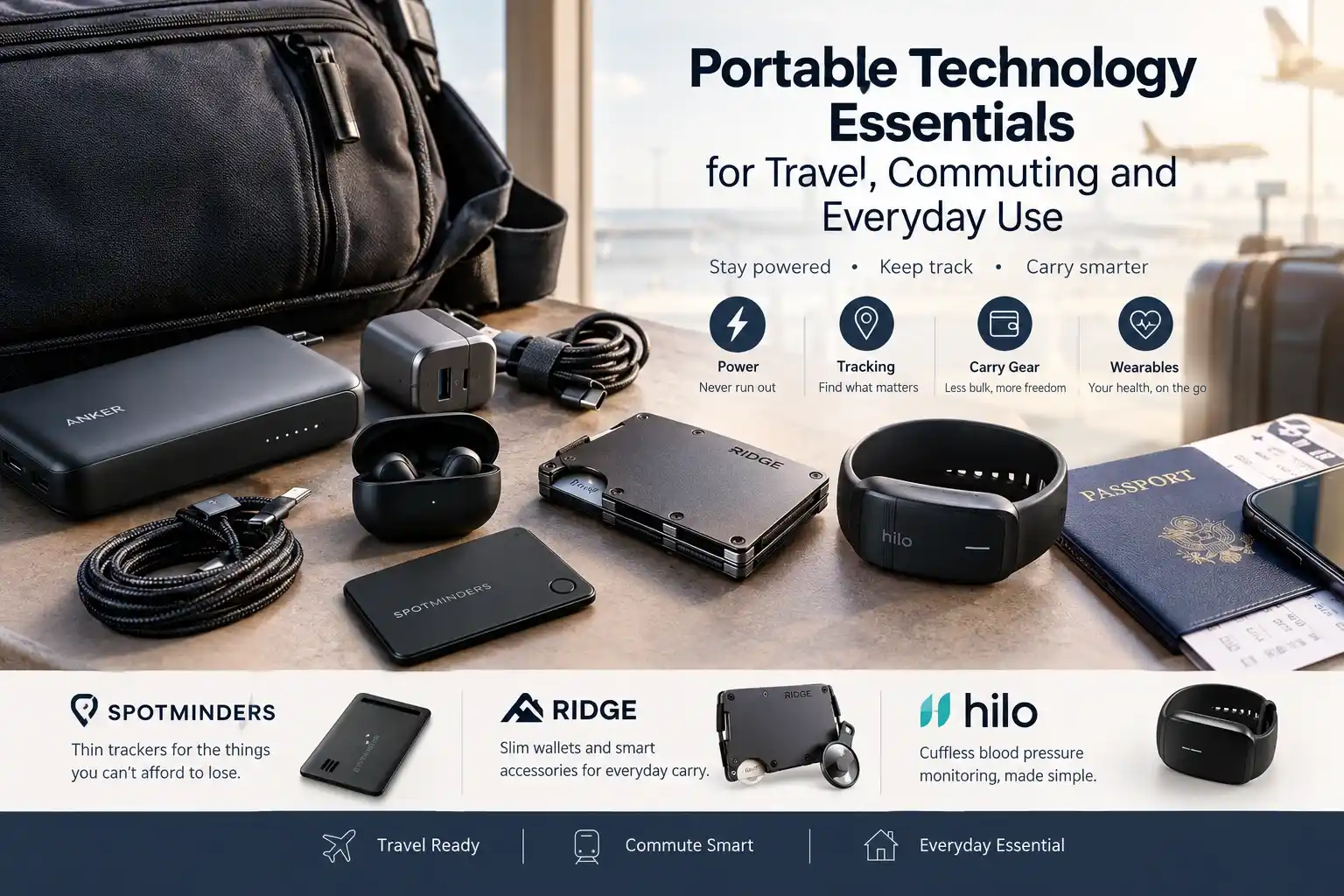
Portable Technology Essentials for Travel, Commuting, and Everyday Use
Discover portable tech essentials for travel, commuting, and daily life, from power banks and Bluetooth trackers to slim wallets and health-focused wearables.
Recent Blogs
-
Jewellery and Piercings: Expressing Your Personal Style Through Accessories
-
Small Accessories, Big Impact: Ways to Elevate Everyday Outfits
-
How to Style Bracelets, Necklaces and Piercing Jewellery Together
-
Best Everyday Jewellery and Accessories for Every Personal Style
-
The Ultimate Guide to Building a Versatile Jewellery Collection
-
A Practical Guide to Everyday Pet Care: Comfort, Protection, and Hygiene
-
How to Choose the Right Pet Walking Gear for Safety, Comfort, and Control
By William Ashby
·October 14, 2026
Most people don't have a shortage of gadgets. They have a shortage of decisions. The tech pouch gets heavier every year, yet the phone still dies mid-afternoon, and the wallet still goes missing on the one morning you're running late.
This guide helps you decide what earns a place in your bag or pocket. It covers a simple test for judging any gadget, the main categories (power, tracking, carry gear, wearables), three ready-made kits for different routines, and a checklist to use before you buy. Three brands appear where they fit: Spotminders, Ridge, and Hilo. Each is explained with its limits as well as its strengths.
What counts as a portable technology essential?
A portable tech essential is a small device or accessory that prevents a specific, likely, and costly problem, such as a dead battery, a lost item, or a missing health reading, and is light enough that you'll actually carry it.
Before adding anything to your carry, run it through four questions:
- What exact problem does it solve? "It might be useful" isn't a problem.
- How often does that problem happen to you? A daily annoyance beats a once-a-decade emergency.
- What does failure cost? Losing a wallet or passport costs far more than losing a spare earbud case.
- Will it fit how you carry? Weight, pocket size, and charging effort decide whether a gadget stays in your bag or ends up in a drawer.
Anything that scores poorly on questions 2 and 4 is probably a "nice to have."
What to carry for travel, commuting, and everyday life
Different routines need different priorities. This table shows where the weight is worth it.
Power: capacity, cables, chargers and flying rules
Power is the one category most people regret skipping.
How much power bank capacity do you need?
Capacity is usually printed in milliamp-hours (mAh), but airlines care about watt-hours (Wh). At the typical 3.7 V cell voltage, 10,000 mAh is about 37 Wh, and 27,000 mAh is about 100 Wh.
For most people, a 10,000 mAh bank is enough for a day of commuting or a travel day. Phone-charging results vary with the phone's battery size and conversion losses, so treat any "number of charges" claim as approximate.
Can you fly with a power bank?
Yes, with rules. The FAA's PackSafe guidance says spare lithium-ion batteries and power banks must travel in carry-on baggage, not checked baggage. Batteries up to 100 Wh are generally allowed. Larger batteries of 101–160 Wh need airline approval, with a maximum of two. Anything above 160 Wh is not permitted.
Airlines can be stricter than the FAA on quantity limits and in-flight use, so check yours before you fly. International rules may also differ.
Cables and chargers
- One good cable beats three bad ones. Pick a cable rated for your device's charging speed and label it so it doesn't get lost in a hotel.
- A multi-port wall charger replaces several single-port bricks. Check the wattage budget when multiple ports are in use.
- Travel adapters change plug shape, not voltage. Most modern chargers list 100–240V on the label, but confirm yours.
Keeping track of what you carry
Losing things is the most expensive everyday tech problem, and a small Bluetooth tracker is one of the cheapest fixes.
How do Bluetooth trackers work, and are they GPS?
They are not GPS. A Bluetooth tracker broadcasts a short-range signal. When a phone or tablet in the same ecosystem passes near it, that device quietly reports the tracker's location through the network. The result is a last detected location, not live streaming, and it depends on nearby devices.
Two things follow from this:
- Ecosystem matters. Apple Find My trackers work with iPhones and iPads. Android users rely on Google's Find Hub network and Android-compatible trackers.
- Crowded places work better. Airports and city centers have plenty of phones. A rural trail may have none.
Both Apple and Google also provide alerts for unknown trackers traveling with you, which helps reduce misuse. Use trackers only on your own belongings.
Tag or card?
If your biggest worry is a wallet, passport, or documents folder, a card-style tracker is easier to carry because it doesn't add bulk.
Where Spotminders fits
Spotminders is built around that card-style idea. According to its official product page, the Tracking Card measures 85 × 54 × 1.8 mm, runs up to 8 months per charge, charges wirelessly, and works with Apple Find My with no subscription. It can play a sound when nearby, and the brand backs it with a 100-day return policy. Spotminders also sells a rechargeable Smart Tag for keys, a luggage tag, a passport holder, and a wireless charger.
Who it suits: iPhone users who want a thin tracker for a wallet, passport, or bag lining.
Limits to know: It is designed for Apple's ecosystem, so it won't help Android users. Because it relies on the Find My network, it shows a last detected location, and it won't replace a GPS tracker for high-value cargo.
Carry less: wallets and everyday-carry tech
Bulk is the hidden enemy of everyday carry. A thick wallet crammed with cards, a tracker, and receipts is uncomfortable in a pocket and easy to forget on a table.
Ridge builds slim metal wallets and a range of add-ons. On its official site, the company offers an AirTag Money Clip that fastens an Apple AirTag to the face of a Ridge wallet, an AirTag accessory for the smaller Ridge Lite (compatible only with that model), MagSafe plates, and a hanging AirTag holder for its KeyCase. Ridge says its aerospace-grade materials carry a lifetime warranty. Check each product page for what is included, because the tracker itself may be sold separately.
One practical point applies to any metal wallet: metal can weaken Bluetooth signals, so a tracker buried inside may perform worse than one mounted on the outside. Ridge's face-mounted approach is built around that.
Who it suits: People who want a minimalist wallet and a tracker-friendly setup, especially in Apple's ecosystem.
Limits to know: Slim metal wallets hold fewer cards than a bulky leather bifold. Ridge's own collection pages describe up to 12 cards depending on the model. Check capacity before switching.
Wearables that do more than count steps
Most wearables track steps and sleep. A smaller group tracks health metrics that matter to people already monitoring them. This is where the standards need to be higher.
Hilo (made by Aktiia) is one example. The Hilo Band is a wrist wearable with an optical sensor. It works with the Hilo app, which estimates blood pressure using pulse wave analysis. It takes readings only when you're still, and the battery is reported to last about 15 days. In 2025, it received FDA 510(k) clearance as the first cuffless blood pressure monitor indicated for over-the-counter use in the U.S.
Who might consider it: Adults whose clinician has already suggested keeping track of blood pressure and who want fewer cuff inflations.
What to keep in mind:
- It is not a diagnostic tool or a substitute for medical advice. Anyone with blood pressure concerns should talk to a doctor or pharmacist before choosing a device.
- Check current setup requirements, including calibration, on Hilo's official site.
- Know the home-monitoring basics. The American Heart Association publishes guidance on measuring blood pressure at home and on discussing device choice with a clinician.
If you have no reason to monitor blood pressure, this isn't essential for you. It's a good example of the four-question test: it earns its place only when it solves a real problem.
Three starter kits
Common mistakes
- Buying capacity you can't fly with. A power bank over 160 Wh is prohibited, and 101–160 Wh needs airline approval.
- Assuming a tracker is GPS. It reports a last detected location through a network of nearby devices.
- Mixing ecosystems. An Apple-only tracker won't work for an Android phone, and the reverse is also true.
- Burying a tracker in metal. Placement affects signal.
- Carrying duplicates. Three cables and two power banks add weight without adding safety.
- Ignoring return policies. Gadgets often work differently in real life than on a product page, so a clear return window matters.
Pre-purchase checklist
- Does it solve a problem I've actually had in the last six months?
- Is it compatible with my phone and operating system?
- How is it charged, and how often?
- Does it fit my pocket, bag, or wallet without adding bulk?
- What are the warranty and return terms?
- Is there an ongoing fee or subscription?
- If it's a health device, have I discussed it with a clinician?
Quick reference: the brands mentioned
Prices, stock, and promotions change often, so check each store's current terms before you buy.
Frequently Asked Questions
What are the essential tech items for travel?
A power bank within airline limits, a multi-port charger, a spare cable, a way to get data abroad (eSIM or local plan), and trackers for items you can't afford to lose.
Can I bring a power bank on a plane?
Yes, in carry-on only. The FAA generally allows spare lithium-ion batteries up to 100 Wh. Batteries of 101–160 Wh need airline approval (maximum two), and anything above 160 Wh isn't allowed. Check your airline's rules too.
Are Bluetooth trackers the same as GPS trackers?
No. They rely on nearby devices in a network to report a last detected location. GPS trackers have their own satellite positioning and usually need a subscription.
Do tracker cards work with Android?
It depends on the product. Spotminders' Tracking Card is designed for Apple's Find My network, so it targets iPhone users. Android users should look for trackers that support Google's Find Hub network.
Do metal wallets block tracker signals?
Metal can weaken wireless signals, so placement matters. That's why some metal-wallet accessories mount the tracker on the outside.
Is a cuffless blood-pressure wearable accurate?
The Hilo Band has FDA clearance for over-the-counter use, but accuracy depends on correct use, and it isn't a replacement for medical advice. Ask a clinician which home-monitoring device suits you.
What should a commuter carry?
A small power bank, a short cable, earbuds, a slim wallet, and a card-style tracker. That covers the most common daily failures without weighing down your bag.
Conclusion
Portable technology is worth carrying when it solves a real, repeated problem and fits how you move. Start with power, add tracking for the items you'd hate to lose, slim down your carry, and consider specialized wearables only when you have a reason. Use the four-question test and the checklist above each time you're tempted by a new gadget.